Porting diary / 13 September 2026
A desktop world.
Now in your hands.
We took Widelands from C++ to Android. The breakthrough was making it feel playable with your fingers.
Play on Android ↓Explore the source ↗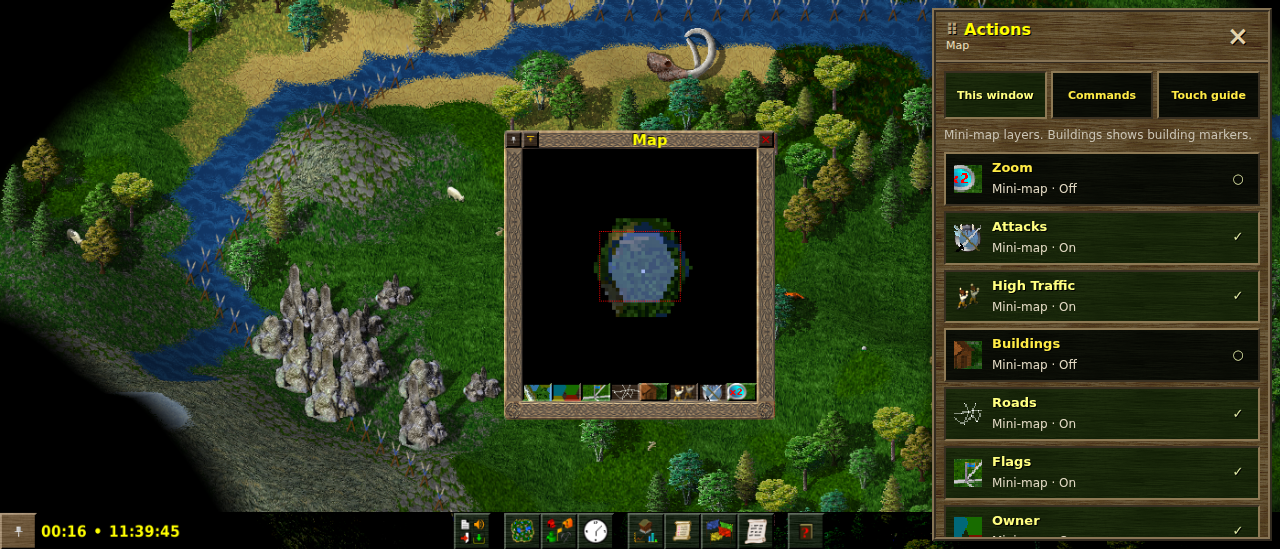
Keep the world. Change the way in.
Widelands already has the difficult part: a world worth spending time in. Roads connect buildings. Carriers move goods. Production chains feed a growing settlement. Our job was to get that existing game into a player’s hands on Android.
We kept its C++ engine and game data, compiled the engine to WebAssembly with Emscripten, and packaged it inside Android WebView. The game files travel with the app, so playing does not require a connection or a remote game server.
The simulation stayed. The route from a finger to an action had to change.
A successful build is the starting line.
The first Android attempts hit a wall. A threaded build needed a Chrome fallback. Later builds reached a loading screen and lost the WebView renderer. “Running…” on a screen was doing a lot of optimistic work.
We made startup observable: runtime initialization, filesystem setup, then individual C++ constructors. Reports from the phone narrowed the failure down much further than another desktop browser check could. We also moved to a cooperative single-thread build, avoiding the original thread requirement.
That iteration eventually produced a running game. And the next report was wonderfully concrete: the player could not press OK because our helper buttons were in the way.
The keyboard became a design problem.
A row of arrows, modifiers and mouse buttons can get a desktop game through its first mobile demo. It also asks the player to operate a miniature computer before they can operate the game.
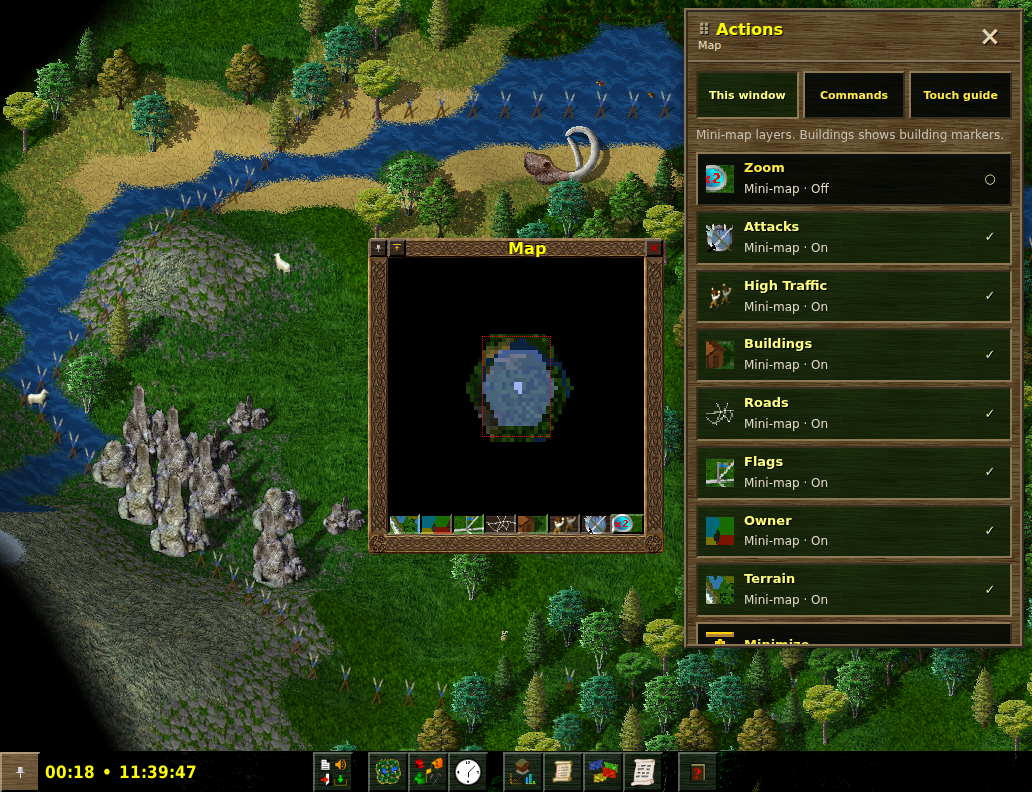
We built an Actions panel around the current game window. It exposes native actions with their labels, descriptions, icons and enabled states. Toggle buttons report whether they are on or off. The player sees a command they can use, instead of having to translate a Ctrl shortcut.
This is a bridge into the existing interface. Actions are checked against the live window before dispatch, so a button from an old panel cannot silently act on a new one. Reusing the original textures and typography made the panel feel closer to the game it controls.
Stop moving the world under the player.
Our first sidebar made room by shrinking the game. Opening it changed the viewport. Bringing up the keyboard could change it again. The player was trying to read or press something while the whole scene rearranged itself.
The fix was a floating, movable overlay. Opening Actions leaves the game’s dimensions alone. Keyboard handling on newer Android versions adjusts the overlay’s available space, keeping the game viewport stable.
Map input needed the same care. A finger moving across terrain should pan the camera; a finger moving across a window may need to drag that window. We added a movement threshold and native widget hit testing to distinguish those paths. Taps still activate controls, and two-finger gestures handle panning and zoom.
AI shortened the distance to the next build.
The work crossed C++, Emscripten, Java, JavaScript, CSS and the game’s UI internals. AI-assisted development helped us trace those boundaries, instrument failures, build the input bridge and turn repeated problems into regression checks.
The strongest loop was simple: build, put it on the phone, hear what feels wrong, fix that exact problem. “The buttons cover OK.” “Buildings does nothing.” “The resize is annoying.” Each observation was more useful than a polished mockup pretending the interaction was already solved.
Development speed means reaching the next useful playtest sooner. It also means keeping the checks that stop yesterday’s problem from returning.
From loading screen to learning the game.
The owner tested both the folded phone and unfolded Fold layouts. The feedback changed from startup failures to being able to follow the tutorial, understand the controls and play. That is the result this port needed.
Automated checks cover native action dispatch, map gestures, overlay sizing and save persistence. Those checks support the device feedback; they do not stand in for a completed campaign or a long session with a large settlement.
The current download is an early Android release: English, offline single-player, with original music and sound effects. Touch guidance covers the first tutorial and adapted shortcut labels. There is more game to test, and now it is in a form people can actually try.
Your turn. Build something.
Install the Android build and start with the tutorial. Lay your first roads, grow a settlement, and tell us where your fingers still have to fight the interface.
Download & play ↓Share your experience ↗Working on a game that deserves a smaller screen? Explore Zerno Studio’s projects and see how we build.
Built on Widelands.
Original game by the Widelands Development Team. This is Zerno Studio’s independent Android adaptation. The code remains GPL-2.0-or-later, with the original asset and third-party notices retained.